You are outside, the sun is out, and your footage is blown out at every setting that looks right. You cannot raise the shutter speed without ruining the motion, you do not want to close the aperture and lose the background, and the ISO is already at base. This is the moment everyone discovers ND filters — and immediately asks the only question that matters: how many stops do I need?
Here is the answer first, and the reasoning after it.
How many stops you need, by light and aperture
These figures assume the standard video setup: 24 or 25fps at a 180-degree shutter, which means a shutter speed of 1/50 second, at your camera’s base ISO of 100.
| Light | f/1.8 | f/2.8 | f/4 | f/5.6 | f/8 |
|---|---|---|---|---|---|
| Bright sun, no cloud | 8 stops | 6½ | 5½ | 4½ | 3½ |
| Hazy sun | 6½ | 5½ | 4½ | 3½ | 2½ |
| Overcast | 5½ | 4½ | 3½ | 2½ | 1½ |
| Heavy cloud | 3½ | 2½ | 1½ | — | — |
Read the row for your light, the column for the aperture you want to keep, and that is your answer. A 1 to 5 stop variable ND covers most of this table — everything except shooting wide open in full sun, which is exactly the case we will come back to at the end.
One important adjustment. If your camera’s base ISO is 800, as it is on many cinema cameras and in log profiles, add three stops to every figure above. At ISO 800 in bright sun at f/2.8 you are looking at nine and a half stops, not six and a half. This is the single most common reason people buy a filter that turns out to be too weak.
Why you cannot just raise the shutter speed
In photography, too much light is not really a problem: you close the aperture or shorten the shutter and move on. In video you cannot do either without changing the picture, and the shutter is the one that bites hardest.
Film has always been shot with a rotating disc in front of the film, half open and half closed — a 180-degree shutter angle. Each frame is exposed for half the time the frame occupies. At 24fps, where each frame lasts 1/24 second, half of that is roughly 1/50 second. That is where the number comes from, and it is why almost everything you have ever watched was shot at it.
The result is the amount of motion blur your eye reads as normal. Movement is smooth without smearing; a pan feels like a pan rather than a slideshow.
What happens when you move away from it
Go faster — a narrower shutter angle, say 90 degrees or 1/100 at 24fps — and each frame gets sharper while the movement between frames gets choppier. It is the staccato, stroboscopic look of the landing sequence in Saving Private Ryan, and it is a deliberate effect. Used by accident it just looks jittery, and it shows up worst on pans and on people walking.
Go slower — a wider angle, 270 degrees or more — and motion smears into a dreamlike drag. Occasionally beautiful, usually just soft.
The point is that 1/50 is not a suggestion you can trade away when the light gets difficult. It is part of the look. Which leaves exactly one variable to play with.
The aperture is not free either
The obvious alternative is to close down. Shoot at f/11 instead of f/1.8 and the exposure problem disappears — along with the shallow depth of field you probably bought that lens for. The background comes into focus, the subject stops standing out, and the footage starts to look like security camera coverage.
Beyond about f/11 you also start losing sharpness to diffraction, so it is not even a free trade optically.
So: the shutter is fixed by the frame rate, the aperture is fixed by the look you want, and the ISO is already as low as it goes. The ND filter is not an accessory in this situation. It is the only remaining control.
Variable or fixed?
Once you know how many stops you need, the next question is which kind of filter delivers them.
| Variable ND | Fixed ND | |
|---|---|---|
| How it works | Rotate the ring to move through a range of stops | One density, no adjustment |
| Best for | Changing light: moving in and out of shade, sun behind cloud, run-and-gun | Controlled light, or when you want the absolute cleanest glass |
| Watch out for | Not weatherproof — two elements rotate against each other | You need the right one on you at the right moment |
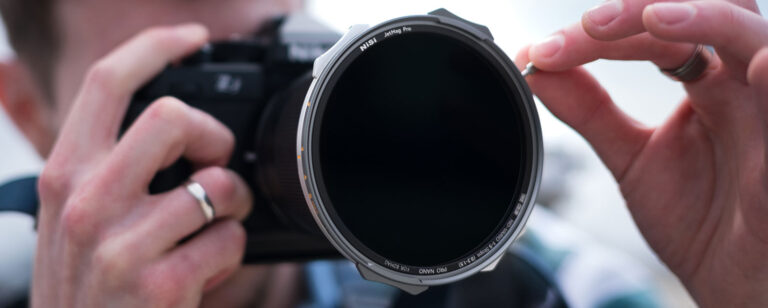
For most people shooting outdoors, a variable ND is the practical answer: the light changes faster than you can swap filters, and a cloud passing in front of the sun is two stops in a second and a half. The JetMag Pro ND-VARIO and the screw-in True Color ND-VARIO both cover 1 to 5 stops, which is the range the table above lands in most of the time.
Whichever you choose, the thing that matters at this level is that the glass stays neutral across the whole range. A variable ND that drifts warm or magenta as you rotate towards the denser end is a filter you will spend the rest of the edit correcting — and if it produces the X pattern, the dark cross that appears on wide lenses when a poorly designed variable ND runs into cross-polarisation, the shot is simply unusable.
 JetMag Pro - ND-VARIO 1-5 stops (0.3-1.5) True Color Nano-coating
5.00
(5) reviews
JetMag Pro 49 · 67 · 82 · 95mm
Price range: £109.90 through £194.99
JetMag Pro - ND-VARIO 1-5 stops (0.3-1.5) True Color Nano-coating
5.00
(5) reviews
JetMag Pro 49 · 67 · 82 · 95mm
Price range: £109.90 through £194.99
 TRUE COLOR ND-VARIO 1-5 stops (0.3-1.5) Nano-coating with Optical Glass
5.00
(11) reviews
⌀ 40.5–105mm
Price range: £89.00 through £279.00
TRUE COLOR ND-VARIO 1-5 stops (0.3-1.5) Nano-coating with Optical Glass
5.00
(11) reviews
⌀ 40.5–105mm
Price range: £89.00 through £279.00
 New
TRUE COLOR ND-VARIO/PL 1-5 Stop (0.3-1.5) Nano-Coating With Optical Glass
⌀ 49–95mm
Price range: £114.90 through £194.90
New
TRUE COLOR ND-VARIO/PL 1-5 Stop (0.3-1.5) Nano-Coating With Optical Glass
⌀ 49–95mm
Price range: £114.90 through £194.90


When five stops is not enough
Look at the top-left corner of the table again. Bright sun at f/1.8 needs about eight stops, and at base ISO 800 that becomes eleven. A 1 to 5 stop variable ND does not get you there, and this is where a lot of people conclude their filter is faulty when it is simply out of range.
The answer is to stack a fixed ND behind the variable one. Add a 4-stop fixed and your 1-5 becomes 5-9; add a 6-stop and you reach eleven. The JetMag Pro FS ND range covers 1, 2, 3, 4, 6, 10 and 15 stops for exactly this.
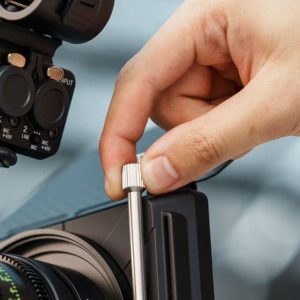
Stacking is where the mounting system stops being a detail. With screw-in filters you thread one into the other, which takes time and adds depth in front of the lens — and on a wide angle that depth is where vignetting begins. The magnetic filters snap together and come apart in one movement, and the ultra-slim frames allow two stacked filters without vignetting at 15mm.
If you would rather buy the combination ready-made, the Creator Kit holds the 1-5 stop variable ND, a 4-stop fixed ND to extend it to nine, and a 1/8 black mist, with the adapter rings and a pouch.
 JetMag Pro - FS ND Filters
4.90
(10) reviews
JetMag Pro 49 · 67 · 82 · 95mm · MaxMag
Price range: £36.30 through £149.90
JetMag Pro - FS ND Filters
4.90
(10) reviews
JetMag Pro 49 · 67 · 82 · 95mm · MaxMag
Price range: £36.30 through £149.90
 JetMag Pro - Creator Kit Magnetic Variable ND 1-9 stops & Mist
4.90
(10) reviews
JetMag Pro 67 · 82 · 95mm
Price range: £299.90 through £449.99
JetMag Pro - Creator Kit Magnetic Variable ND 1-9 stops & Mist
4.90
(10) reviews
JetMag Pro 67 · 82 · 95mm
Price range: £299.90 through £449.99
 JetMag Pro - Flex Kit Magnetic Variable ND 1-5 stops with rings and caps
5.00
(1) reviews
JetMag Pro 67 · 82 · 95mm
Price range: £215.90 through £299.99
JetMag Pro - Flex Kit Magnetic Variable ND 1-5 stops with rings and caps
5.00
(1) reviews
JetMag Pro 67 · 82 · 95mm
Price range: £215.90 through £299.99


Shooting towards the sun brings a problem no ND can solve: stray light hitting the front of the filters, which flattens contrast however well the exposure is set. The JetMag Pro Matte Box clamps in front of the magnetic filters and shades them, and at 140g it stays on a gimbal.
A practical way to get there on set
- Set your frame rate, then set the shutter to match: 1/50 at 24 or 25fps, 1/100 at 50fps. Leave it alone from here.
- Set the aperture for the depth of field you want, not for the exposure.
- Set ISO to base.
- Now bring the exposure down with the ND until it is where you want it, watching your false colour or zebras rather than the histogram.
- When the light changes, adjust only the ND. That is the whole point of it.
Once this becomes habit, exposure stops being something you fight and becomes one ring you turn.
Frequently asked questions
Can I just use a high shutter speed instead of an ND filter?
You can, and the exposure will be correct, but the motion will change. Above roughly 1/100 at 24fps movement starts to look stuttered on pans and on walking subjects. If that staccato look is what you want, it is a legitimate creative choice; if it is not, you need the ND.
What shutter speed should I use at 50 or 60fps?
The 180-degree rule is a ratio, not a fixed number: double your frame rate. 1/50 at 25fps, 1/100 at 50fps, 1/120 at 60fps. Note that shooting at a higher frame rate is itself worth about one stop of light, so you will need slightly less ND.
Is a variable ND worse than a fixed one?
Not in itself — a well-made variable ND holds its colour across the range and shows no cross-polarisation. What is true of every variable ND, ours included, is that it is not weatherproof: it is built from two optical elements that rotate against each other, and the water-repellent coating on the outer surfaces makes it easier to clean, not sealed. In heavy rain or sea spray, a fixed ND is the safer tool.
Do I need a different filter for every lens?
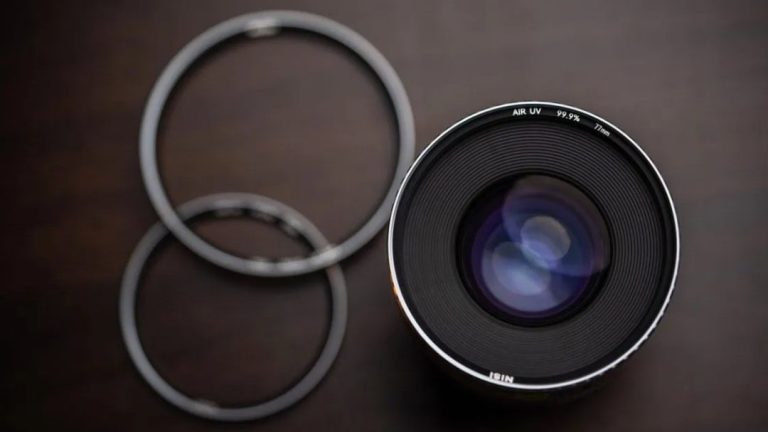
No. With a magnetic system you buy the filter once in the size of your largest lens, then an inexpensive adapter ring for each of the others. With screw-in filters you either buy one per thread size or use step-up rings.
Still not sure what fits your setup?
Answer a few questions about your camera, your lenses and the kind of work you do, and our Filter Finder will recommend a system based on your actual kit — with two alternatives, so you can see what you are choosing between.
Or tell us what camera and lenses you shoot with and what you are filming, and we will tell you how many stops you need. We answer every message ourselves.